- Video
- Audio Only
AI educator and NextGen founder Hadas Frank joins host Nichol Bradford to break down the major pros and cons of popular AI tools ChatGPT and Claude, along with different integrations and use cases. They also discuss the three types of decisions HR should never automate.
P.S. ChatGPT and Claude have their strengths, but don’t forget: SHRM members get exclusive 24/7 access to AskSHRM — a powerful and secure AI tool designed especially for HR.
Related AI+HI Resources:
The AI+HI Project 2026
At The AI + HI Project 2026, you won't just hear about AI, you'll use it. From hands-on demonstrations to peer-driven innovation labs, every part of your experience is infused with AI to elevate your learning, your network, and your impact.
AI+HI Specialty Credential
Master the intersection of artificial intelligence and human intelligence to lead innovation and equip yourself with practical, ethical, and strategic tools to implement AI solutions with confidence.
Podcast Episode Guest
-
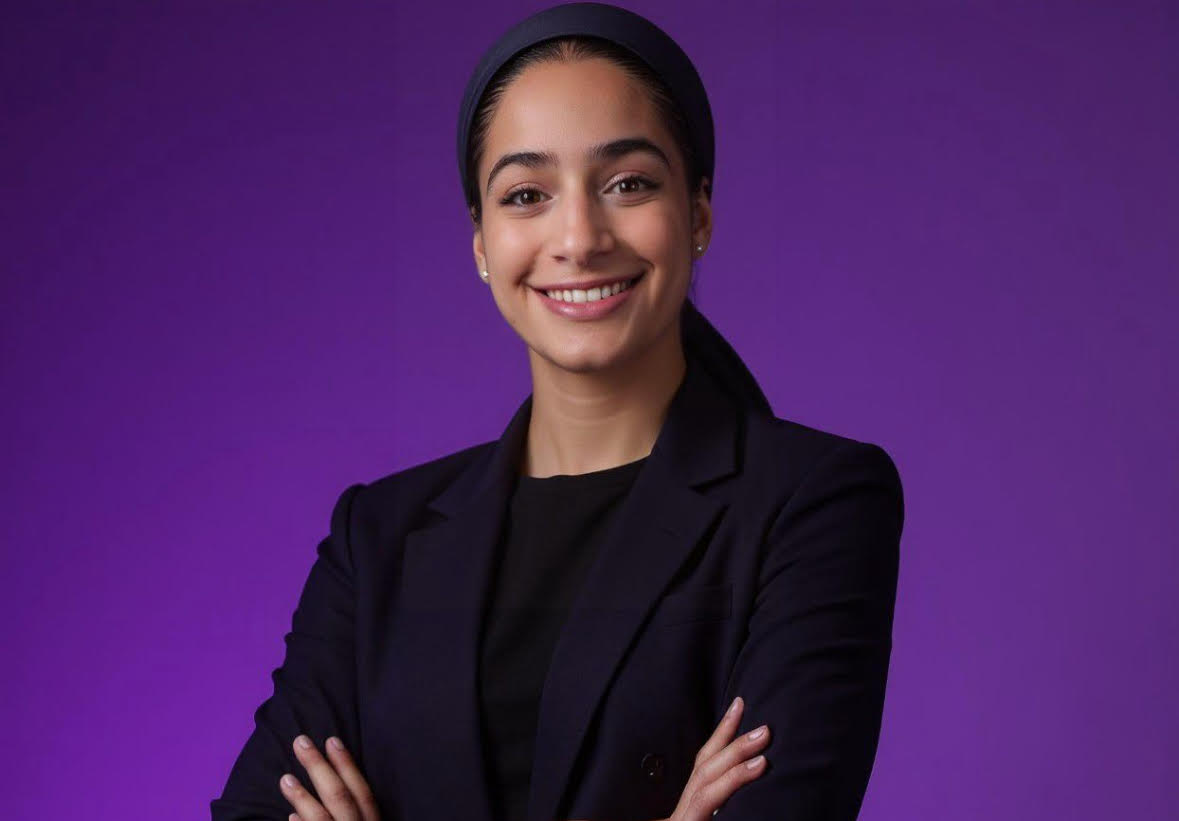
Hadas Frank
Hadas Frank is an AI strategist, educator, and founder of NextGenAI, specializing in AI adoption, workforce transformation, and practical AI education. She helps organizations and non-technical professionals integrate AI into their daily workflows, improve productivity, and navigate organizational change.
With experience training over 800 professionals across multiple industries and countries, Hadas is passionate about bridging the gap between emerging AI technologies and real-world business applications. She is also an active speaker, community leader, and advocate for making AI accessible to everyone
The podcast is just the beginning. The weekly AI+HI Project newsletter features articles on AI trends that are redefining the future of work. Explore these must-read insights from the latest issue. Subscribe now to start turning AI+HI into maximum ROI.
News + Insights
Episode Transcript
This transcript has been generated by AI and may contain slight discrepancies from the audio or video recording.
Ad: [00:00:00] SHRM's Annual Conference is now SHRM HRx LIVE. It's four days of epic entertainment, networking with industry experts, and hands-on learning, built on five years of SHRM research into what the best HR teams do differently. Register now and save $400. That ends November 19th, and it could sell out sooner.
Head to hrxlive.org to register. That's hrxlive.org.
Nichol: ChatGPT or Claude? Is there one tool that's a better fit for HR? Or is the real answer, it depends on what you're trying to do? That's the question we're exploring today with Hadas Frank, founder and CEO of AI strategic consulting and training firm, NextGen AI. Hadas and I are comparing notes on ways that you can use ChatGPT and Claude in your workplace, which areas [00:01:00] each one shines, and some practical ways that you could use them right away.
Hadas, welcome to the AI+HI project.
Hadas Frank: Thank you. Thank you for having me.
Nichol: All right. So Hadas, we're gonna get into the specifics and workflows for different ways HR and organizations can use these two tools. But let's zoom out a bit and talk at a high level. Most people have heard of ChatGPT and Claude and may have a general idea of what they do.
The thing is, they're constantly improving with new features being added. So let's take a moment to talk about the value of these tools. If you could give our audience the big picture, what would you say these tools are great at, and where can HR teams use them to improve, optimize, and automate their day-to-day work?
Hadas Frank: That's a great question. So I would say on the bigger picture, both of the tool, every gen AI tool is really good at repetitive task. Task that doesn't necessarily involve with too [00:02:00] much, uh, human creativity or critical, uh, decision that demand a human touch, I would say. So for example, for HR person, it can be very good to analyze, uh, workers' reports or survey, um, employee onboarding and those type of things.
Now, when it's come to Claude and ChatGPT, those tools are very similar. Every day we have more and more, uh, features coming up, and they get much, much and closer with their capabilities. But I would say for me, at least in my perspective, ChatGPT is very good for a day-to-day tool, like the go-to tool. And when it's come to workflow and in, and work environment, especially for HR, I believe Claude is much more, uh, fitter for HR.
Nichol: Got it. And you know, they're changing [00:03:00] all the time. So let's talk about what's changed with these tools in just a year. What are some of the features you've discovered in ChatGPT or Claude that you feel could make a real difference for HR teams that our audience might not know about yet?
Hadas Frank: So the tools definitely have changed in the past year.
I would say in the past year, we really moved from AI help us in a specific task, uh, let's say, uh, writing a report, uh, comparing between two documents, to now to actually an AI workflow. So as an HR person, you can go with Claude, for example, to connect to Asana, connect to Monday, connect to Slack, connect to even, uh, specifically with Claude, you can connect to Workday.
So you can connect to Workday, ask questions, uh, create some tasks through, through Claude inside of Workday. So we moved again [00:04:00] from specific Task to actually a workflow from the beginning to an end. You have the Claude Cowork, Claude Cod, uh, Claude. And the Claude Cowork really allowed you all the automation in the agentic environment.
Uh, you do have it in ChatGPT, but you have it in more massive way in Claude, for example. In Claude, uh, Cowork, uh, if you go in the settings, uh, Claude Cowork have the abilities for plugins. Now, in the plugins, you have really a ready packages for HR. So just to make sure that we all in the same page, I will just explain very shortly what is plugin.
So plugin, it's basically package of capabilities, uh, which is includes skills. Skills, it's, uh, it's instructions how to, uh, do a specific task. In our [00:05:00] case, how to do a specific employee report, for example. How you do a specific, uh, how you analyze specific, uh, employee survey, or how you do the onboarding process or the recruiting.
So you create a specific skills to teach Claude how you like those tasks to be done in your specific way And we have as well connectors. Connectors allowed Claude to connect to different tools and data to ask questions, to pull informations, and to, uh, basically, uh, create some task and take some actions.
So plugging, it's a package of all of it together, the skills and the connectors. So plugging in ChatGPT, it's simple connectors. They just give you a few, like a marketplace, a few connectors that you can connect to. While in Claude you have [00:06:00] a ready set packages that you also can customize it, uh, customize them that includes skills and connectors for HR people.
While in, in ChatGPT you don't have that. You need to build your own. While in Claude you can, like I would say, shop around rather than build it from zero. And again, the great part, you can full customize the skills. So at the moment, uh, Claude in the plugging of a, uh, human resources, you have nine skills and about five connectors, and you can add more connectors.
One of them I mentioned, Workday. Workday is not available in ChatGPT. So you have two type of connectors, um, in Claude that's related to Workday, which bigger organizations, especially HR and finance, use it. Now it's in a beta version. You can request access, but [00:07:00] it's still available.
Nichol: So knowing about the tools and what they can do is one thing, but when it comes to actually using them to achieve these great results, that's where people get stuck.
So for our audience, SHRM has created a new resource to help. It's called the AI Sprint Sessions, which are live hands-on sessions with expert instructors offered at multiple dates. Depending on the sprint, you might use a generative AI tool to build a workforce plan, turn HR data into an executive summary, or leave with a prompt library and a 30-day adoption plan.
To learn more and register, just click on the link above or find it in this episode's description. So back to the question. So Hadas, what we've learned is that these AI sprint sessions open a whole world of possibility for how much you can do with AI. But I'd love to get your advice for someone just starting to learn more about how to use AI in their workplace.
For an HR pro who [00:08:00] just wants to jump right in but doesn't know where to start, what questions should they ask themselves to figure out on which area they should focus first?
Hadas Frank: It's a great question. I think the best place to start is ask himself the question of what task I waste the most time? That's where, because AI's supposed to help us to be more productive.
So every, especially workflow, you have some- something that you feel that it take me four hours to do this, or it take me one hour and I, I feel like I can do it for less. So find out what's the task, the repeatable task that takes you so much time And start there. And then I feel the next question you should ask yourself is, is there is any AI policy at their organization?
And this is very important question to ask. And the reason is that, [00:09:00] uh, because after you find that use case or that specific task that you want to focus on, the next thing that comes up, okay, which, which tool should I use? Now, most of our organizations have already a subscription or a plan or a type of policy, what they allowed or not allowed when it's come to AI in the workspace.
So you don't wanna start to get hands-on or, or use a tool that your organization won't allow you to use it inside the work environment. So after you figure out the AI policy and you choose the right tool for you, then the third step, and I feel like the most important one, it's really the hands-on.
Whether it's, uh, learn by yourself, testing it, you know, uh, even you can ask AI what it can do for you. People miss that part, that they actually can ask ChatGPT, Co- Claude or Copilot, say, "Hey, I have this specific task. How can you help me to [00:10:00] reduce, uh, the, the time? If it take me, again, one hour, how can I do it in 30 minutes?"
Or, "Give me an ideas how you can help me solve this problem." So you can use AI for AI, I call it. So ask AI a question how they can help you. Start asking the question, uh, test, figure out what work, what it didn't, and why so. It's very important to understand the why, so next time you won't repeat those mistakes.
And really measure the out- uh, the, the results. Did it actually save me time or I just wasted time? Because AI can hallucinate. It can be a definitely overwhelming process, try to correct AI again, and no, I actually meant that way, and then you find yourself wasting time. So really it's important to measure the results, build the skills.[00:11:00]
Nichol: You know, um, so in many of the webinars that we've been doing, we've been moving from Chat to Claude to, uh, Gemini just to show people that they can do many of the same things across all of the different platforms, but we've done it without plugins. We haven't used the plugins for that, um, because we were just showing people just basics
Ad: Our goal for starting SHRM's AI enablement program was to figure out where we were as a team and a function.
It helped us focus on what available AI resources that we had, and it gave us confidence in turning them on and using them and training employees on how to use them. The program is so good, I wish it lasted even longer.
Nichol: SHRM Now let's talk about a practical HR task [00:12:00] that our audience can start using right now after this episode. Hadas, I'm curious if you could talk us through a step-by-step workflow for how our audience could use Claude to handle a specific HR-related task, and then I'll share how I've used ChatGPT for something else, just so they can understand the versatility of these tools.
Hadas Frank: Yeah, sure. So we'll start from the basic. You know, the settings are definitely very important when you come and you use those AI tools. So I think the first thing they should start with is go to the settings inside of Claude, and inside of the setting in the sidebar, they can see plugins. There, when they search human resource, there is a package that's ready for them to use.
As I mentioned, there is nine skills there. In the skills, there is onboarding, there is prep for interview, there is, um, there is, uh, as [00:13:00] well, um, I believe, uh, a worker, uh, employee, uh, report, and all bunch of stuff for, uh, HR person. And there are connectors for Google Calendar, the Gmail, and so on. Inside of the settings in the plugin, they have the ability to customize it.
They can add more plugins, as I mentioned, Workday as well. They can add those skills for their specific flow. So for example, let's say you have bunch of cont- uh, candidates that you need to interview. Uh, you can use the plugin. Let's say we edit it. We add Workday- We add every single, uh, software we use, the Google Calendar, uh, the Outlook, whatever type of, uh, I would say software you already use.
And we added the skill to execute the output and the task [00:14:00] the way we want to. So we can sk-- uh, build a workflow in a way of automation that whenever there is a new role, uh, in, let's say, Workday. Let's say I have a tab, uh, uh, there that new candidates come in, and I need to do the onboarding after the interviews and everything.
So when I have a new line of a new employee, potential employee, it's created automation that it's send automatically for me, uh, or for the employee, like an email with a document how to prepare for an interview or how to prepare for the onboarding day as well. But again, it's very important that the documents are already ready-made.
They're not to be edited. Same with the email. It's a specific template because when it's come to AI to send automatic emails, you always prefer to review them. So with Claude, you can... [00:15:00] Claude have basically the ability of schedule. That it's repeatable task, that whenever something happen, X and Y happen as well.
So as I mentioned, I have a new role of a new employee or a new candidate. Let's focus on, let's say, candidate. I need to interview them, so it's can send an automatic after I review it, an email of option from my Google Calendar of availability to interview them They click on the option, it send them, uh, a thank you for schedule or anything they should be aware of before the interview.
And then I have with them the interview. I can have a- as well an AI note taker take the notes from the meeting, the interview, and you can connect, for example, Granola to Claude, uh, and you can pull and ask questions through Claude about the candidates. For [00:16:00] example, if you forgot, uh, what the candidate answer in specific question, can ask Claude, "Hey, about this candidate, uh, I asked this, this question."
For example, "How would you deal with this software error?" For example, how the candidate respond to that. And then, uh, through Granola and through the note taker, Claude can pull up the notes or summarize for you, and you can build a report to that or send it to wherever you need to send it. So this is like a type of a workflow, uh, AI workflow you can do that it's really from the beginning to an end, and you...
Again, everything you can customize. Another fr- another example, for example Um, I connect it to Workday because again, it's a big tool that most of organizations u- use, so I wanna stick to Workday as a plugin, as a connector. So let's say [00:17:00] I have a question about, um, this month, how many employees t- uh, took vacation days, sick days, or what's the hours of, uh, that this specific employee did this month or this week.
You can ask question directly through Claude through the connector. So I can ask, for example, uh, "Claude, how many sick days Nichol took this month?" And then you-- if it's missing information, Claude will say to you, "You have a lot of Nichols in your organization. Is there is any specific Nichol you referred to from a specific department?
What's the last name?" Or stuff like that. So any, uh, I would say question that Claude have for you, it will ask to get a better understanding of what exactly output you're looking for. So again, you have bunch of options and things you can do, but the best [00:18:00] starting point, it's really look at the plugins and the skills that already available that Anthropic built for you, and you can customize them and go on with your project or your workflow or whatever you need to do.
Nichol: Great. Yeah, and, and I, I would think probably, you know, my configuration might be best for, um, an HR of one where, you know, they're probably, um, helping pick the tool and, um, maybe it's just a subscription that the company pays for, uh, for smaller organizations. But I have two ChatGPT cases. One, I'm actually in the middle of hiring, uh, uh, product managers for a, um, a, um, uh- something that I operate, and I have my chat, I'm able to harvest my Granola, um, and I also have it connected to my email so it can independently-- [00:19:00] I mean, I have to prompt it, um, but I can tell it to pull out all the emails that are from candidates to put them in a particular folder in my, um, uh, my Gmail workspace.
Um, and then it, um, we, we worked together, I talked a bit about what I was really focused on, um, and we worked together to set up a rubric, and then it pulls the information from the Granolas. So, and, and also many people don't know this, that when you, uh, when you look at Granola, um, you mostly get the summarization, and you can tell it to be a bit more detailed, but it won't really do a full transcript like Otter.
However, your chat is able to get the full transcript. And so, um, I am using my chat to help me evaluate about 30 candidates, [00:20:00] um, that I have for three roles. And, um, it is, you know, doing the, um, the, the pulling of the transcript, um, the application of my transcripts into the rubric, the asking me, "Well, what did you think of this person?"
And adding that in and helping me score. So that's one thing. And then with SHRM recently, we did a webinar where I demonstrated three ways that HR professionals can use ChatGPT, and it was like writing better job descriptions, analyzing workforce skill gaps, and preparing for difficult conversations. And I think one really interesting place where ChatGPT can be a useful thinking partner, um, is for preparing for a difficult conversation.
Now, not having it, so Hadas, one of the things that-- one of the rules that, that I've given to everyone on these is that there's three things that you don't use AI for. You don't use it for cont- conflict, um, [00:21:00] you don't use it for a crisis, and you don't use it for a commitment. So that's like the last mile.
But getting ready to actually like really think through what you wanna say, you can use that. And so I gave them a framework called CRIT, C-R-I-T, which is context, role, interview, and task, and that's where You know, context, they told ChatGPT what was happening, the role, they asked it to act as an experienced coach.
The interview, they asked it to, you know, to interview them. So chat would just ask you a question and a question and a question and a question to get the whole scenario out, and then the task is to help with talking points. So those are two ways that I've used ChatGPT for HR folks. Um, so okay. So now that we've talked through some examples of how our audience can use these tools in their day-to-day, let's talk about choosing the right tool for the right [00:22:00] moment.
Hadas Frank: I have a subscription and plan in Gemini, ChatGPT, and Claude. I have three different subscriptions. So, uh, it all depend what you use it for. For example, when it's come to images, Claude is not great generating images, but ChatGPT is. So of course, if you want to create a type of advertising or ad or share something about, uh, an activity that you guys plan to do inside of their organization and you wanna create a nice poster, definitely I will recommend to use ChatGPT or Gemini for it.
You want to create a video, go to Gemini. Again, it all depend the task, but most of the work task, most of them, Claude can do a phenomenal job with them. Claude also is very good with long output and long input. So if you have a very long document that's few pages long, [00:23:00] and you want the, uh, the basically the output, the results that, I don't know, you wanna write a report of few Word pages, Claude can do it to you better than ChatGPT.
Nichol: Yeah. I, you know, I'm one of those people that works across all of them, um, but I also now do all my work in, um, in Um, the LLMs, and I don't even... Like I, I mostly even do my email now through, um, Chat or Claude. I, I really am rarely starting to go into the email apps, uh, which I think is, um, I, I, I think that's what a lot of the future looks like.
Hadas Frank: Yeah. You shouldn't let AI do it. Uh, in the past it didn't came across as very, uh, productive or useful. There was a lot of biases, uh, when it's come to the specific task. So when it's come to, uh, you have the job [00:24:00] description, you have what you're looking for, and you have the few final candidates, and you ask the ChatGPT make a decision for you about which candidate might be the best suit, you shouldn't do that.
And you shouldn't, uh, use AI to make a decision if you should fire employee, uh, as I mentioned, hire employee, give a raise or anything like that. Uh, again, AI have biases. It's not perfect. There is a work to be done, uh, in the field. So those biases, uh, can affect people, jobs and careers. That's why we shouldn't let AI to get the final word or decision when it's come to people life.
Nichol: I agree. I agree. And that actually was gonna be my last question, but you answered it so well about people already know that they shouldn't put sensitive employee data into AI, but just really remembering to not use AI to handle [00:25:00] crisis, conflict or commitment 'cause that's what you described, like the final decisions because, you know, HR is a noble profession.
We're helping people, um, you know, unlock and do their best work, and it's about their livelihoods. And so I believe that those should remain human decisions. Exactly. So Hadas, thank you so much for joining us today. We learned so much. SHRM.
Feature Story

Here are 10 essential questions around bias, transparency, and accountability HR professionals should ask vendors before buying AI tools.
Enjoy on Your Favorite App
More AI Headlines from SHRM

While AI adoption itself is not an issue, relying on it for every other small task deprives younger employees of opportunities to improve their soft skills.

AI is creating capacity, but your P&L hasn't moved. Learn the three AI missteps HR leaders make and how workforce redesign turns productivity into value.
Should you use ChatGPT or Claude for AI tasks in HR? The answer may be: It depends. AI educator and founder of NextGenAI Hadas Frank discusses the critical differences and more.