AI at Work: How to Set Up Claude for Team Co-Work
Available On Demand
This session is part of the SHRM AI at Work webinar series. When registering, you will be prompted to select all the sessions you are interested in attending.
Your team has AI tools. But are you building the workflows that help you work smarter together?
Too often, AI stays stuck at the individual level: one person writing prompts, one conversation at a time, with knowledge scattered across documents, emails, and shared drives. The result? You and your team spend valuable time recreating work, searching for information, and trying to maintain consistency across projects.
In this session, you’ll learn how to turn Claude into a powerful AI workspace that helps you organize knowledge, analyze information, and produce higher-quality work. Through live demonstrations, you’ll see step-by-step how to set up Claude Cowork and use it to:
Create a shared AI workspace — Learn how to set up Claude Projects, add a knowledge base, and create instructions that help Claude understand your goals, processes, and standards.
Work with large collections of information — See how Claude can analyze multiple documents, identify insights, summarize complex information, and help you work more efficiently with existing knowledge.
Whether you’re improving processes or collaborating on projects, you’ll leave with a practical framework for using Claude as a collaborative workspace — and the tools to start applying it immediately.
Meet the Presenter
-
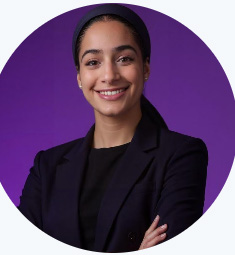
Hadas Frank
Hadas Frank is the Founder and CEO of NextGenAI, an AI strategic consulting and training firm based in New York. She works as an AI educator and strategist, helping non-technical professionals put AI to work in their day to day roles. She has trained over 400 professionals across more than 10 industries. She also contracts as an AI Generalist Trainer at LinkedIn.


SHRM certification has approved this webinar for 1 PDC toward SHRM-CP or SHRM-SCP recertification. A program code will be provided at the end of the webinar.